Candy Crush Saga - Candy Teams
Client
Candy Crush Teams
Year
2025
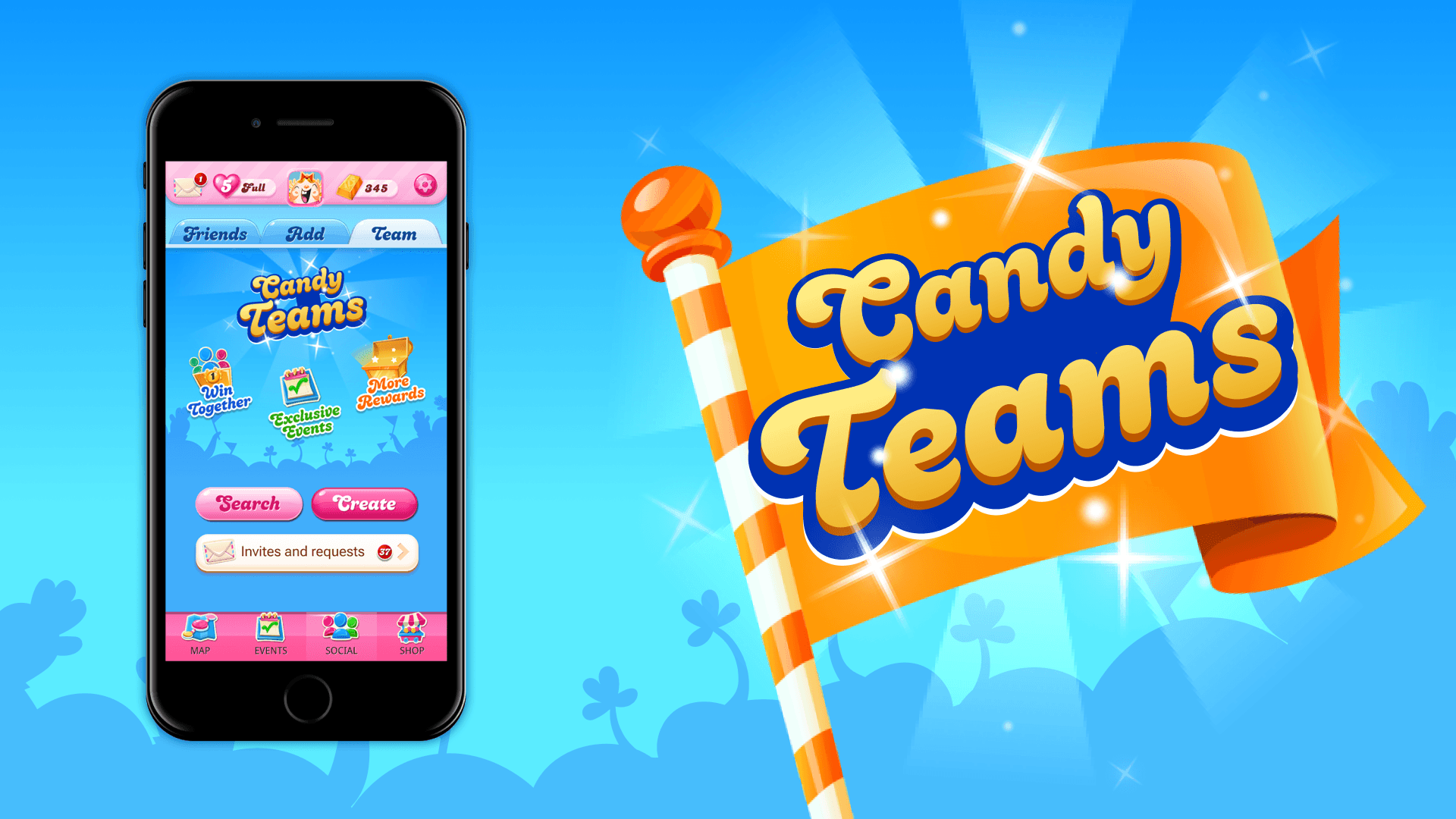
Candy Crush Teams is a new social system existing in the Social tab allowing players to join up with up to 29 others in order to do exclusive larger events for better rewards and to gain a community feeling inside the game itself.
Note: I'm only allowed to write about the final product and not allowed share the explorations / considerations used to create the currently live version. Use cases are truncated of errors and loading states in a similar fashion. Designs for future releases are not allowed be shown until they are released.
Candy Teams
Unlocking

When the player unlocks the Teams system, there will be a tooltip on the social navbar segment letting them know that they can now explore.
Upon reaching this space they will then see the main benefits of joining a team and the ability to create or join an existing one.
Creating a Team
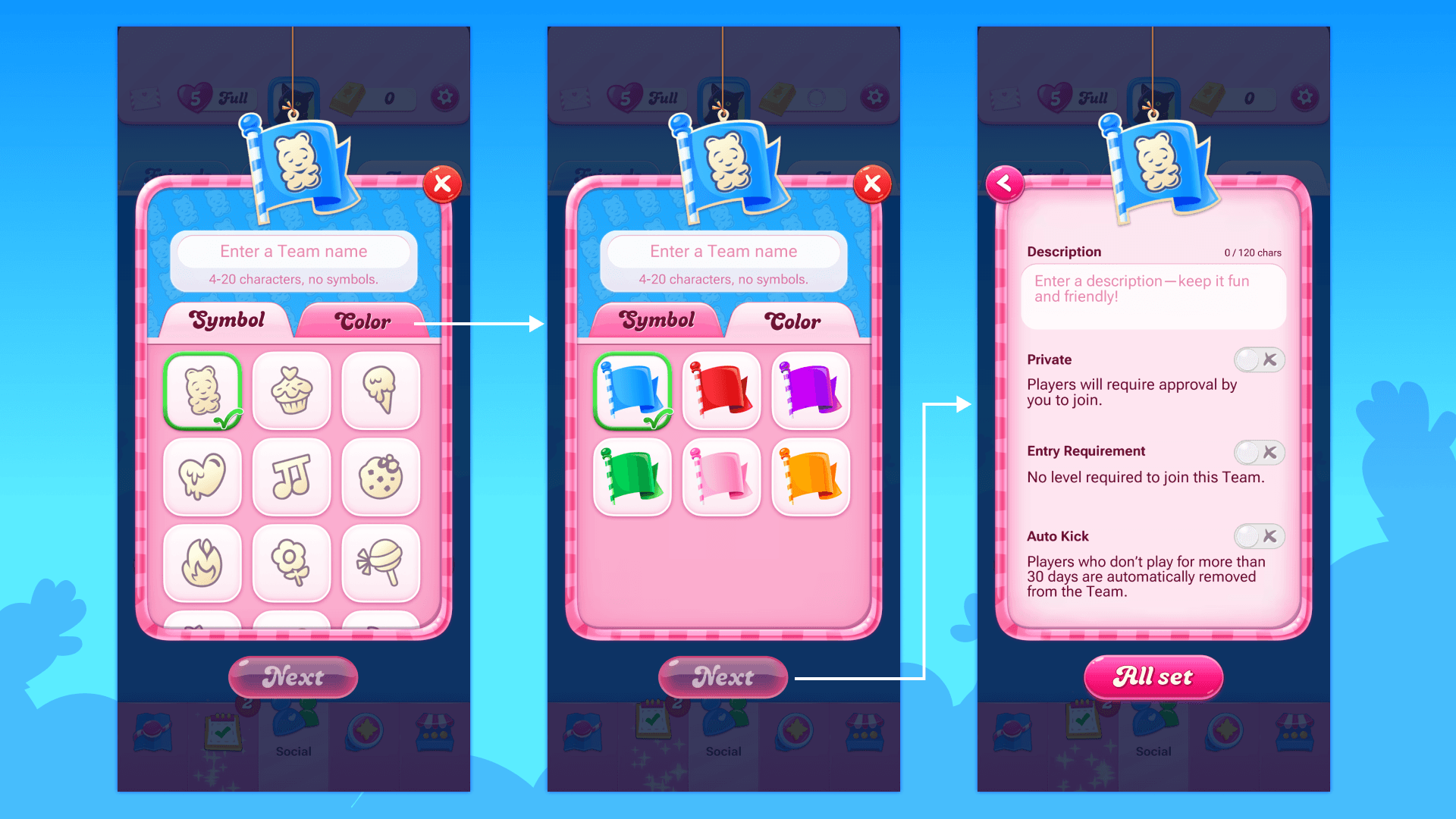
In order to create a Team, the leader must specify the identity first and then the smaller settings that will affect how the club runs or is joinable. This is something we've seen in other competitors but it's given a small part and we believe that the identity of the Team is a key factor in setting the environment and should be extremely recognizable.
Joining a Team
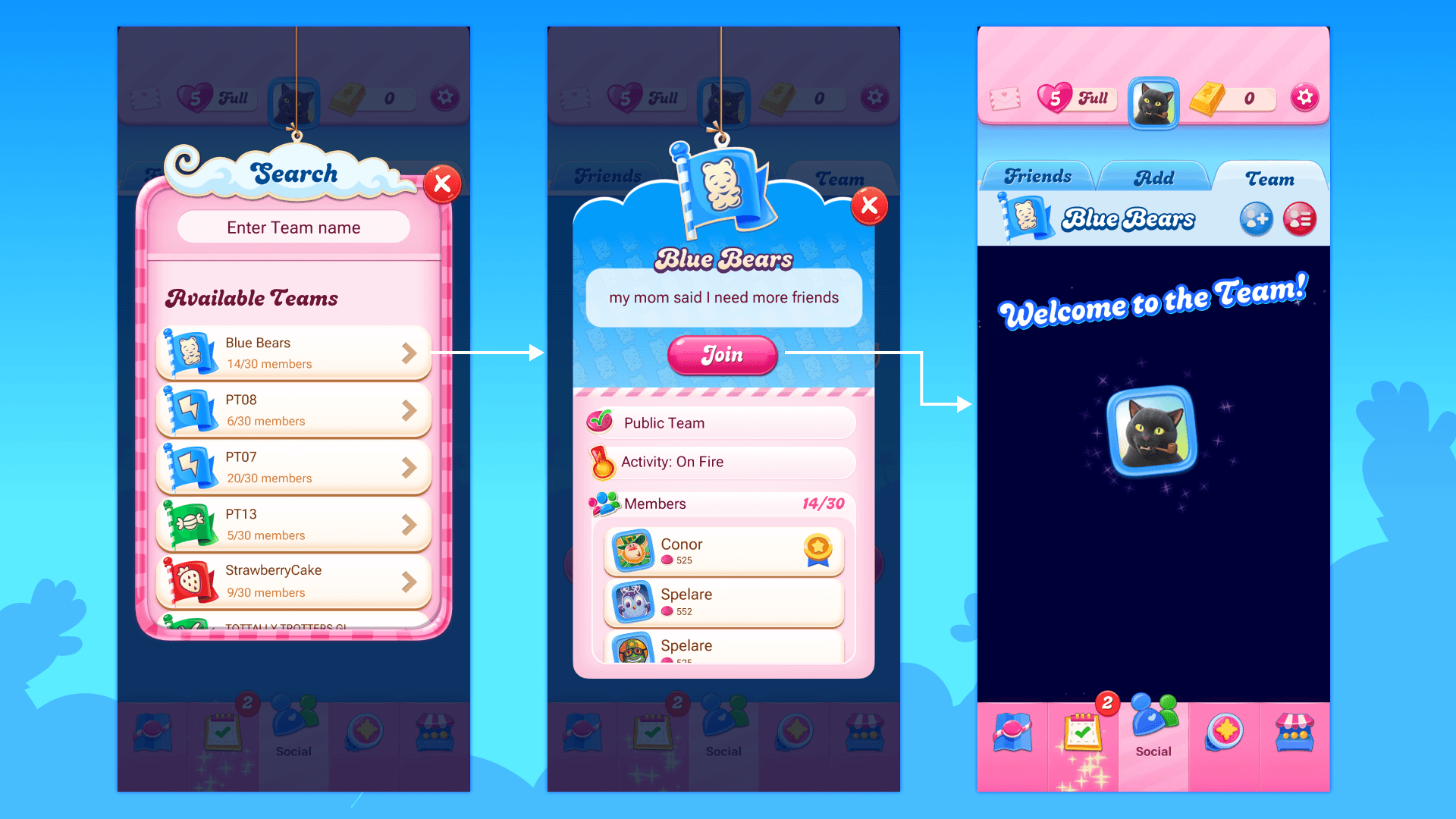
If the player so wishes, they can join a recommended Team. This will allow them to explore the Teams, see how full they are and then open their Team Profile to see everything about the Team before deciding to join. When the join is successful, they are welcomed to the Team!
Searching for Teams

If the player already knows the name of a Team or maybe wants to search for a particular term they can avail of our search bar in order to find what they are looking for. If they click a result, they can see the Team profile for that Team and can join (or not in this case due to being full).
Inviting Members

Something that is extremely difficult in competitors is to add friends to teams or friends in general. Candy Crush Saga has a rich social system and we wanted to leverage that for Teams also, it should be very easy to just invite anyone at anytime. So here we show the friends not in Teams or active players you don't know. We also allow deeplink sharing to share further afield in other social channels.
Leaving a Team

Should a person wish to leave, sad I know, they can access this via the menu on the profile. We warn them that if they swap Teams then they can't join any currently active Team events.
©/TM/® 2025 King.com Ltd.
Scope of Work